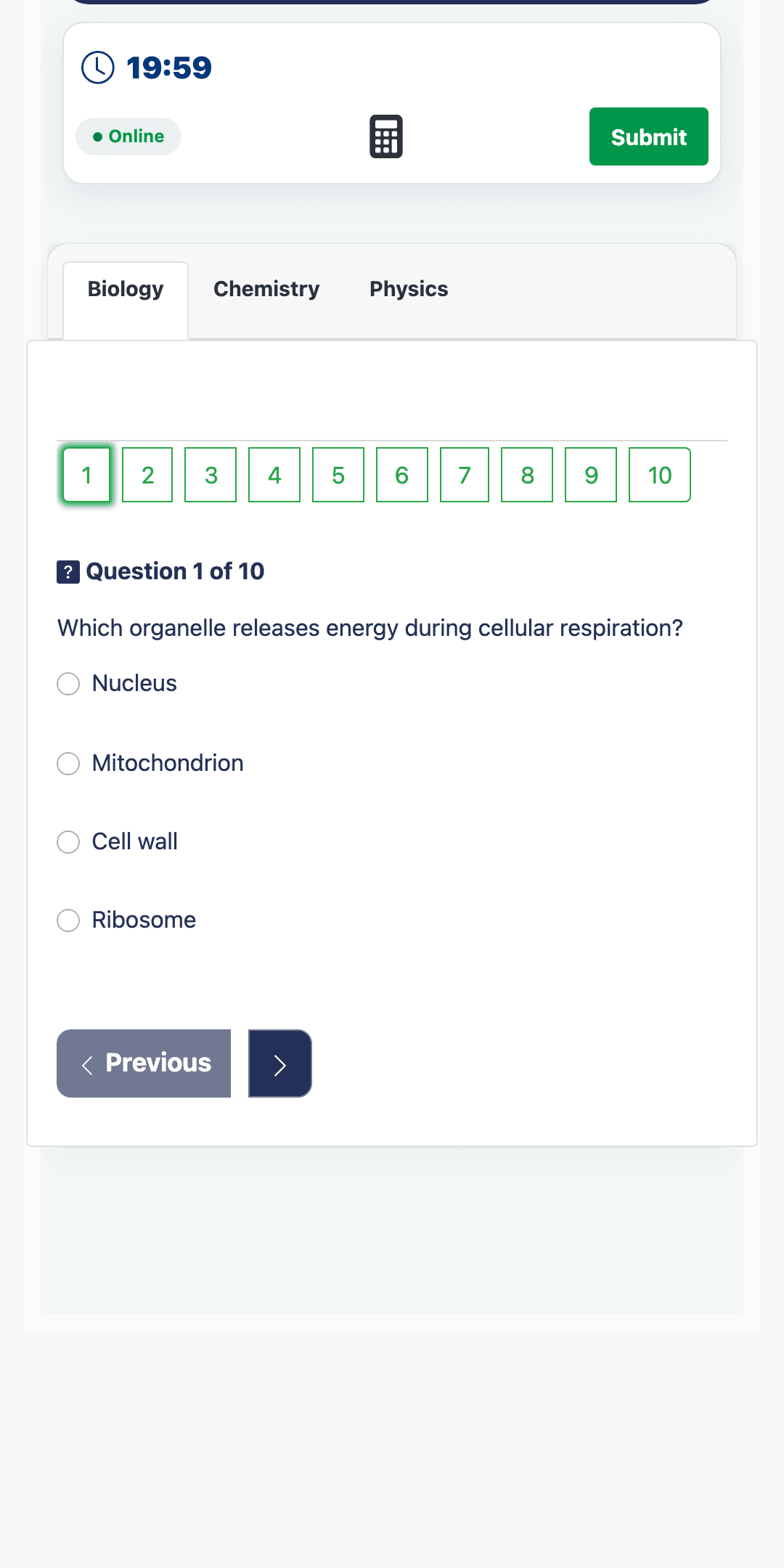
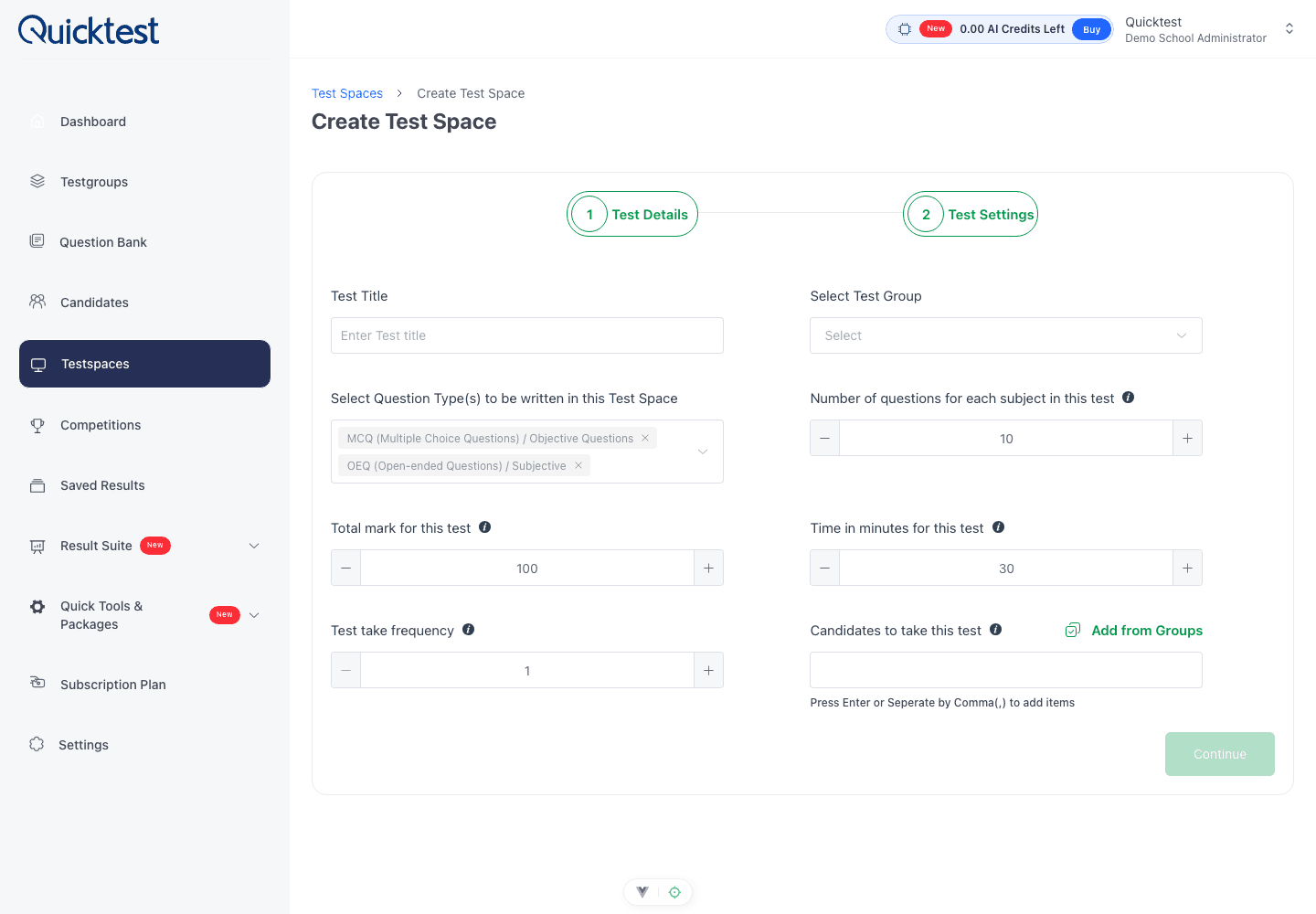
A secure computer-based examination starts long before candidates open the first question. Schools need a clear assessment structure, dependable question content, controlled access and a plan for reviewing what happened after submission.
Define the assessment before adding questions
Write down the purpose of the test, the candidates who should take it, the duration, subjects, score rules and availability window. In Quicktest, these decisions come together in a Testspace so the delivery settings remain connected to the assessment.
Build and review the question bank
Questions can be entered manually, uploaded, generated with AI for review or pasted for AI-assisted arrangement. A subject teacher should still review wording, answers, difficulty and curriculum fit before the questions are used in a live examination.
Prepare candidates and groups
Organise candidates by class, cohort or department and assign the correct group to the Testspace. Share the candidate portal and access instructions early enough to resolve account or device issues before examination day.
Apply the right test controls
Use access codes, availability windows, time limits and fullscreen requirements where they fit your policy. Browser monitoring can record suspicious tab changes, while proctoring information helps authorised staff review activity that needs attention. Controls should be communicated clearly to candidates before they begin.
Run a short readiness check
Test the candidate journey on the devices and network that will be used. Confirm that questions load correctly, timing behaves as expected and supervisors understand how to respond to access or connectivity problems.
Review results and participation
After the examination, use Testspace statistics, charts and result tables to inspect completion, scores and performance patterns. Export or share results through the school workflow, then record lessons that will make the next assessment smoother.
Security is strongest when technology, people and process support one another. Quicktest provides the assessment workspace; a clear school procedure makes each control effective.