Quicktest Testhall Monitoring lets an organization set rules for behaviours such as leaving the test window, copying a question or opening another tab. Set the rules before opening a Testspace, tell candidates what the rules mean, and verify how they work on the devices you will actually use.
1. Open Testhall Monitoring
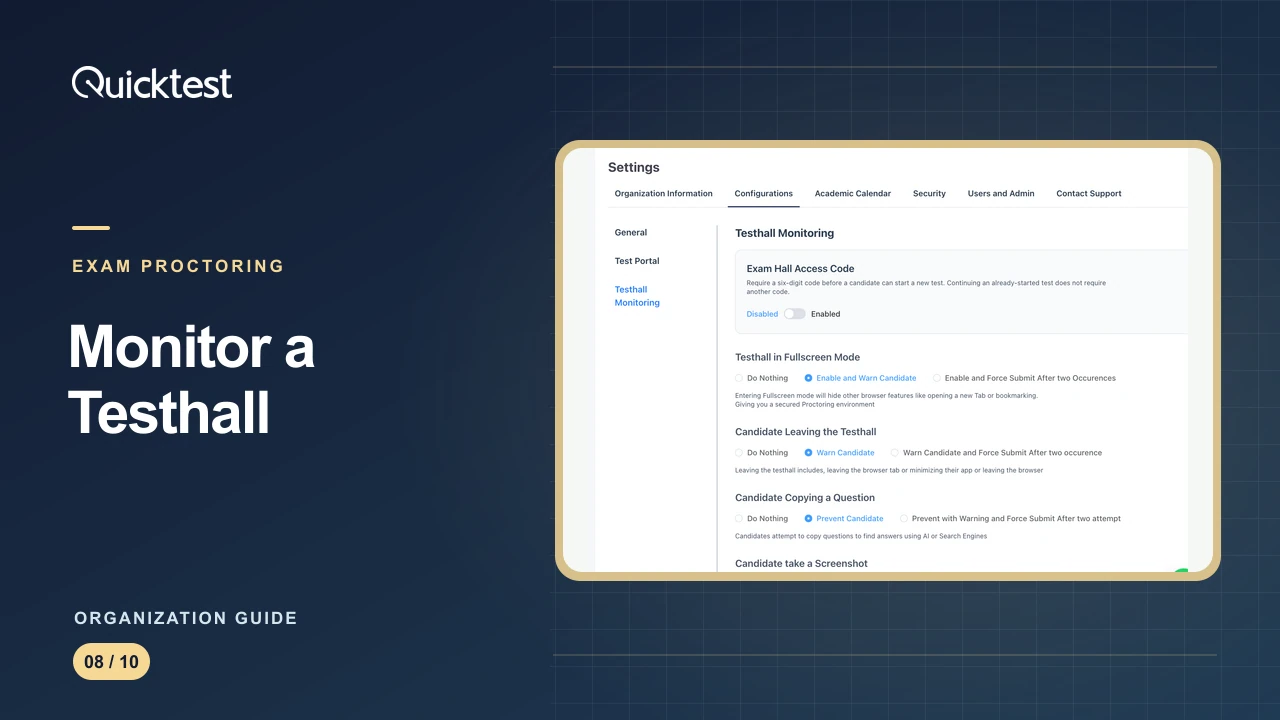
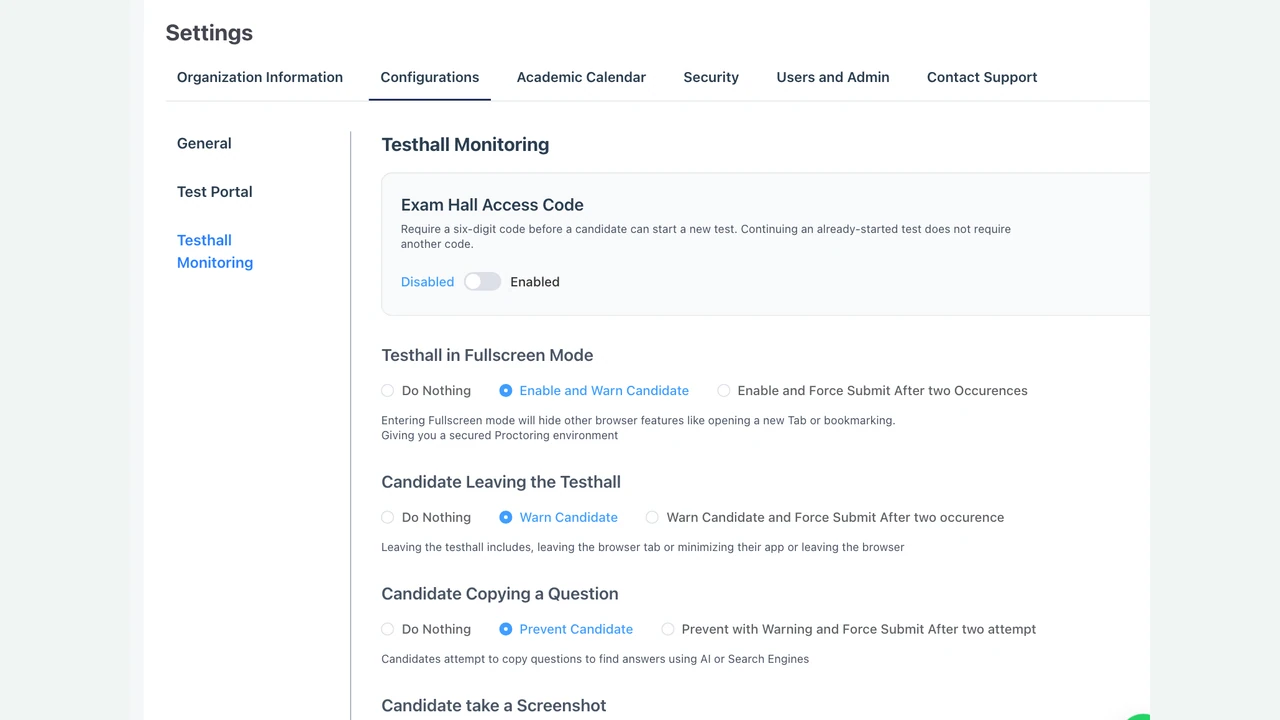
Go to Settings → Organization → Configurations → Testhall Monitoring. If you test in a supervised room, you can enable Exam Hall Access Code. Candidates will need a six-digit code to start a new attempt. An already-started attempt can be continued without another code. Choose hourly or daily rotation and share the current code only through your approved exam process.
2. Choose a response for each behaviour
Read each rule separately. Fullscreen and leaving-the-testhall settings can warn the candidate or force submission after the occurrences described on screen. For copying and screenshot attempts, use the available prevention or warning options where supported. The multiple-tab rule offers Do Nothing, Warn Candidate and Auto Submit Candidate. Check the saved settings before opening the exam.
Run a short practice session on the same browser and device types candidates will use. Check what happens when a window loses focus or displays a system prompt. For a real exam, give invigilators a clear way to help candidates who experience a device or accessibility issue. Browser monitoring is one part of that process.
3. Review a candidate’s log
- Open the relevant Testspace and choose View Test Activity.
- Find the candidate’s attempt. In its action menu, select View Candidate Summary.
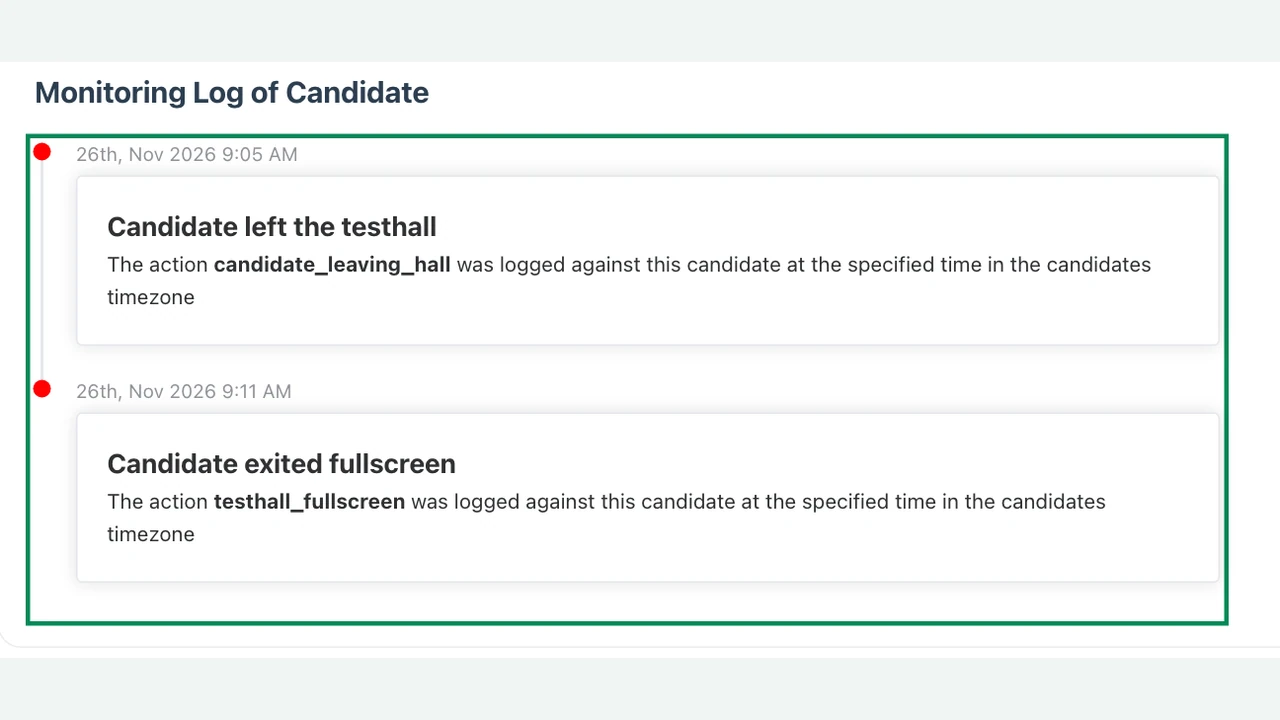
- Scroll to Monitoring Log of Candidate. Compare the timestamps and events with the test duration, invigilator notes and any reports of technical problems.
4. Document the review
Agree on who checks alerts, who can follow up with a candidate and how the school handles a genuine interruption. Treat a logged event as a reason to review the attempt. A system prompt or device issue may produce an event even when the candidate followed the instructions.