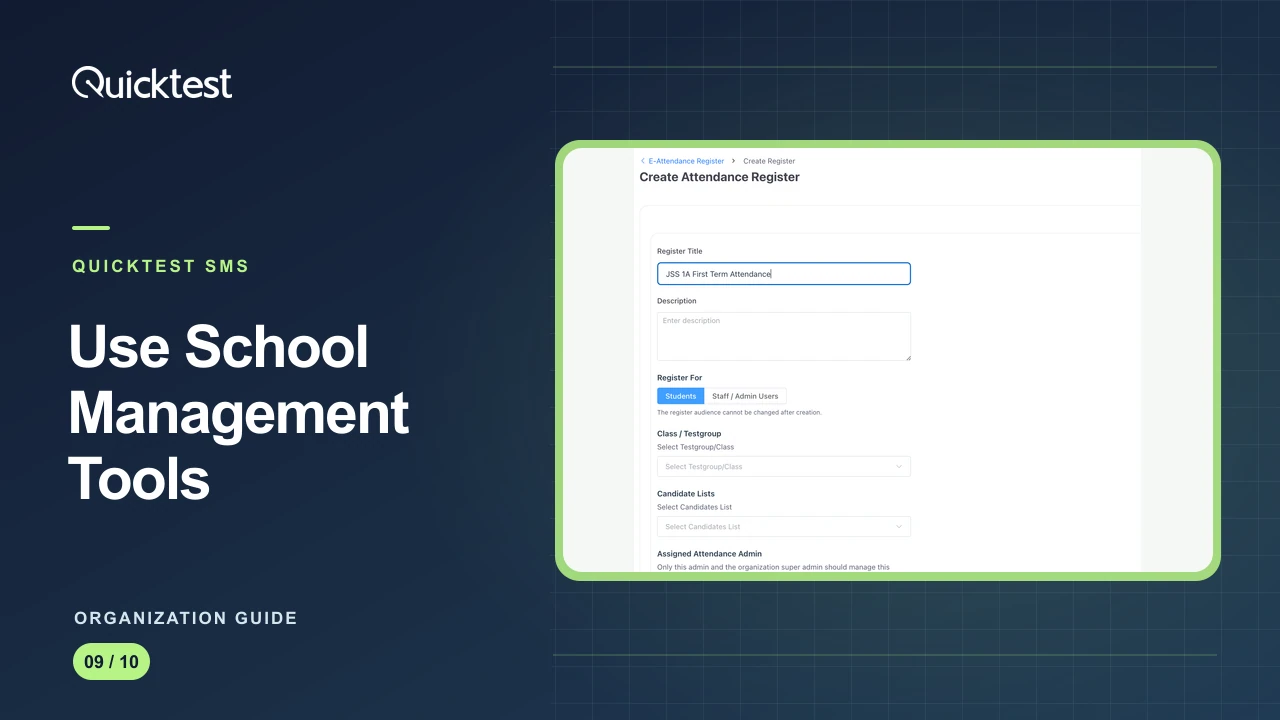
Quicktest SMS is the set of School Management Tools in the organization dashboard. Start with the work your school already does every day: take attendance, record fees or manage stock. Reuse your Test Groups and candidate lists so each tool points to the right class and learners.
1. Set up a learner or staff attendance register
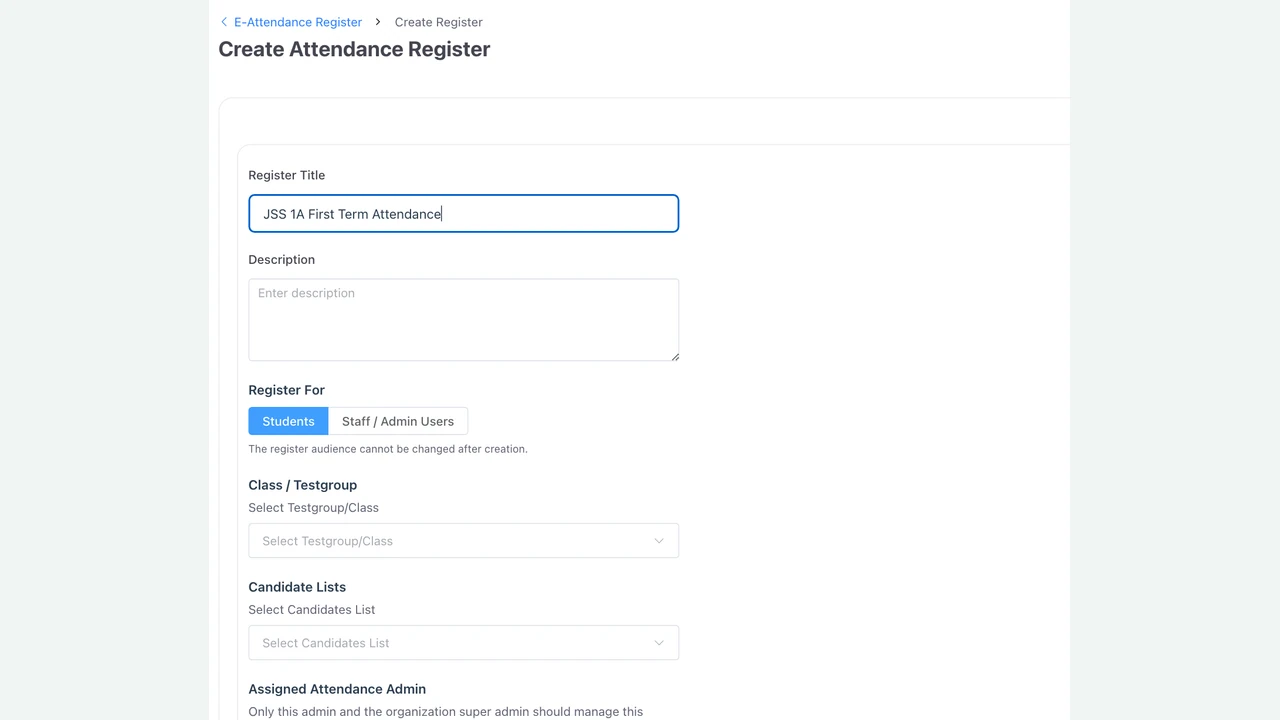
- Open School Management Tools → E-Attendance Register, then choose Create Register.
- Enter a title and choose Students or Staff / Admin Users under Register For. For students, choose the class and candidate lists. For staff, select the users to include.
- Assign the attendance admin, review the period or dates and choose the attendance days. Create the register, open it and select the date before marking attendance.
- Return to that date to confirm the entries saved. Check any late, sick or excused notes before using the record for follow-up.
2. Track fees for a class and period
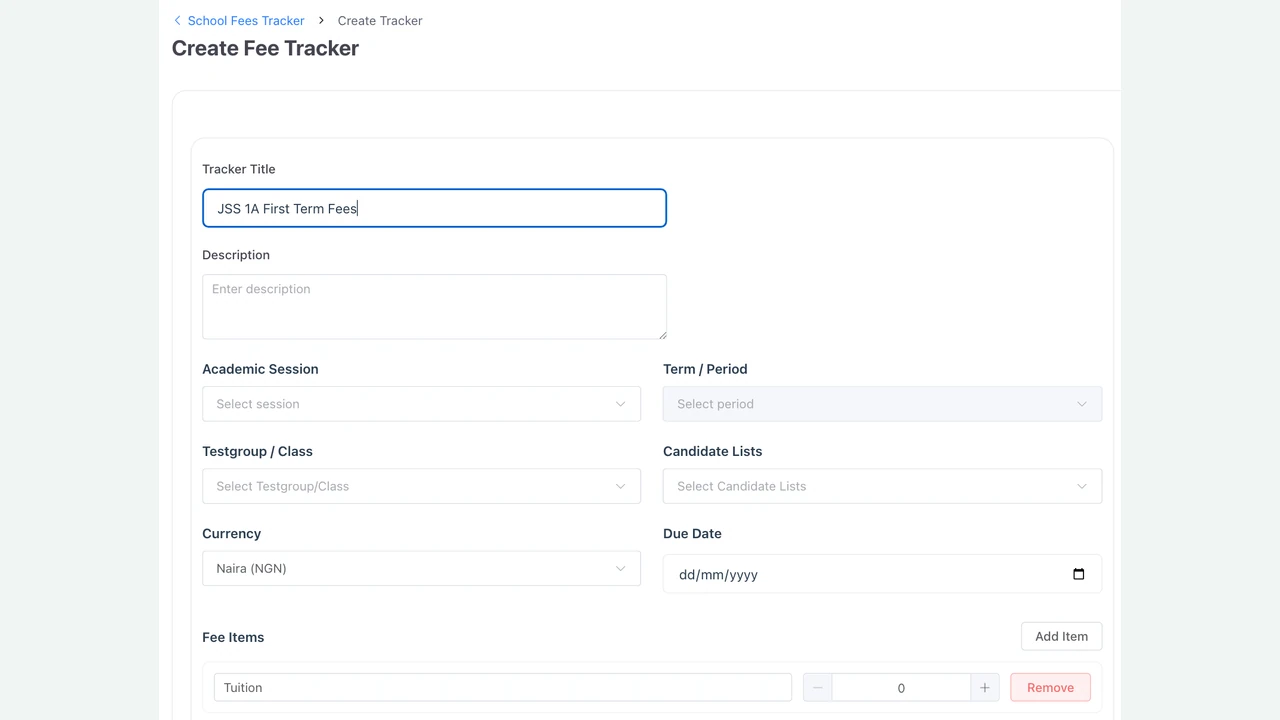
Open School Fees Tracker → Create Tracker. Give the tracker a title, pick the academic session and term, then choose the class and candidate lists. Set the currency and enter the applicable fee items and amounts. When a payment has actually been received, open the tracker, find the learner and choose Add Payment. Enter the amount, date and method; then review the saved payment and balance in Payment History or Report.
3. Add stock and record sales in Bookshop Manager
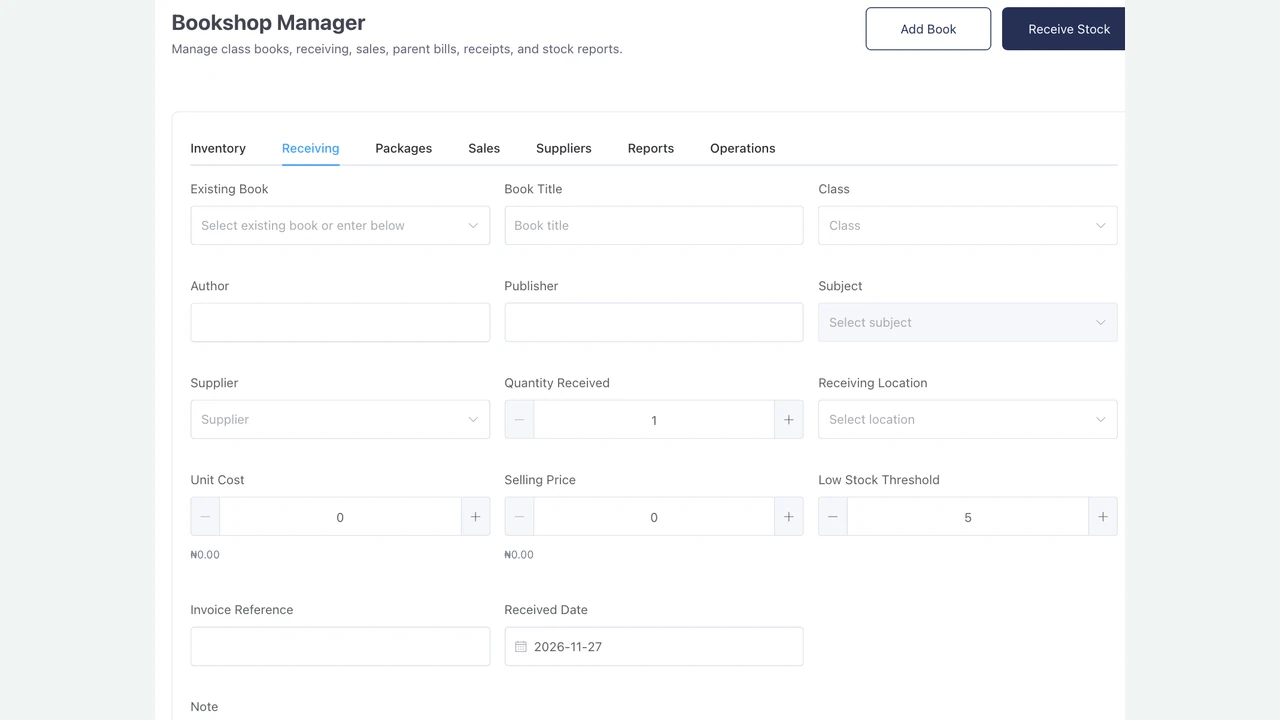
Use Add Book to add a catalogue item. Use Receive Stock to enter the quantity received and check that the inventory reflects it. When you sell an item, open Sales → Record New Sale. Confirm the selected learner, items and amounts before saving. Review the sale and current stock after the transaction.
4. Find external practice and competitions
Open External Examinations Practice to view supported exam options. Schools with a desktop licence can check covered exams and device seats in Desktop Licences. Open External Competitions to check available events and their requirements before enrolling candidates. Access to these tools and actions depends on your organization’s plan and staff permissions.